GSAP Animation in Oxygen Builder: Basic
To animate an element in Oxygen Builder with GSAP, load the GSAP library on the page, target the element by its ID or class, and start the animation once the page has loaded. This tutorial does it with Scripts Organizer, so the library only loads where an animation uses it. It was recorded in Oxygen Classic.
Step 1: register GSAP once
In Scripts Organizer, enable the Scripts Manager feature and allow JS uploads. Then open the Scripts Manager and click Add New Script:
- Name it, for example
gsap-core. - Type: JavaScript, in the footer.
- Choose Register, not Enqueue. An enqueued script loads on every page; a registered one loads only where a code block asks for it.
- Paste the CDN link, or upload the minified file from the GSAP download:
https://cdn.jsdelivr.net/npm/gsap@3/dist/gsap.min.jsRegistering it in one place means that when GSAP updates, you change one link instead of searching every page. See Scripts Manager in the docs.
Step 2: create the code block
Add a new code block, for example “Homepage animation”. In its Enqueue Scripts setting, pick the gsap-core script you registered. GSAP now loads only when this code block runs. Use the code block’s conditions to limit it to the page that has the animation.
Step 3: write the animation
In the code block’s Footer, choose JavaScript and add:
function init() {
  gsap.from("#headline-346-4", {
    duration: 2,
    y: 100,
    autoAlpha: 0,
  });
}
window.addEventListener("load", init);
Replace #headline-346-4 with the ID of your element. To find it, open the page, right-click the element and choose Inspect.
Two details matter here:
- Wait for the page. Without the
loadlistener, the animation starts while the page is still loading and visitors miss part of it. - Hide the element first. The animation starts from invisible, but the element is visible until the script runs, so it flashes. Hide it with CSS, and let
autoAlphareveal it.
Step 4: add the CSS
In the same code block’s Header, add:
#headline-346-4 {
  visibility: hidden;
}
autoAlpha animates opacity and switches visibility back on, so the element fades in without a flash.
Next: animate a list of posts one after another.
Learn more about GSAP
GSAP is free for everyone since Webflow took over its support, including all plugins (GSAP pricing). The GSAP documentation covers installation and every method used here.
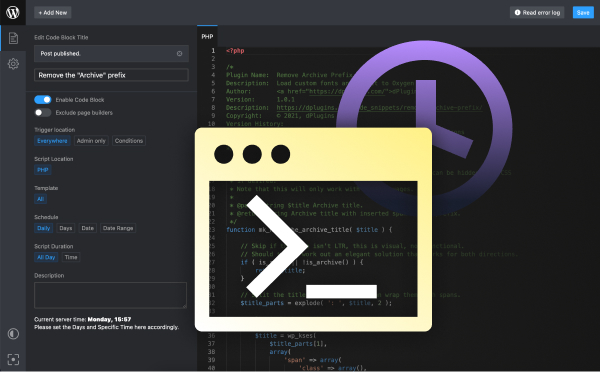
Load scripts only where you need them
Scripts Organizer: register a library once, enqueue it per code block, and keep the JavaScript and CSS of an animation together.
Related guides
- How to Paste HTML into Bricks Builder: Turn any HTML into real, editable Bricks elements.
- How to Copy and Paste Classes Between Elements in Bricks Builder: Reuse styles without retyping class names.
- Custom Oxygen Mobile Menu: Build your own mobile menu in Oxygen Builder.
Browse all WordPress tutorials.
