Winden Tokens
A free Figma plugin for design tokens. Edit variables like a spreadsheet, generate color shades and scales, and check contrast.
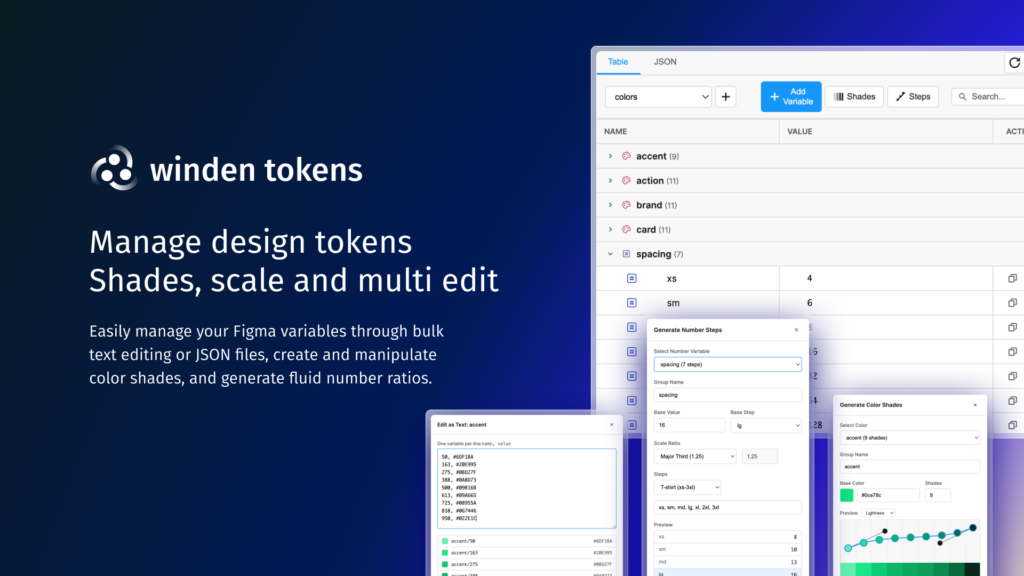
Edit variables like a spreadsheet
- Edit names and values inline in a table.
- Move single variables or whole groups between collections.
- Switch modes such as Light and Dark.
- Search by name or filter by type: color, number, string, boolean.
- Changes made in Figma’s own variables panel sync back automatically.
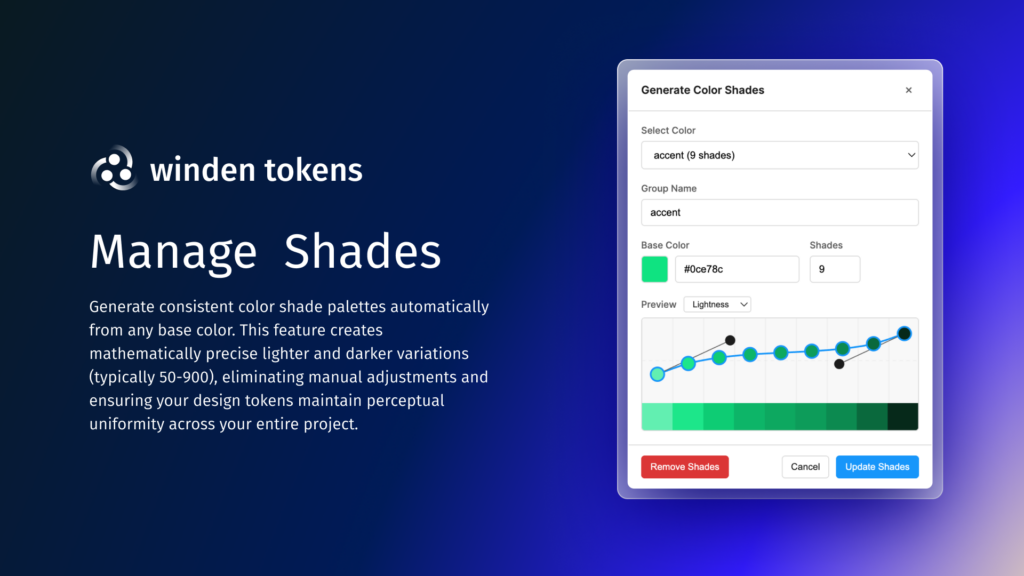
Generate color shades
- Create a full 50–950 palette from any base color.
- Shape lightness, saturation and hue with Bezier curves, with a live preview.
- Shades refresh on their own when you change the base color.
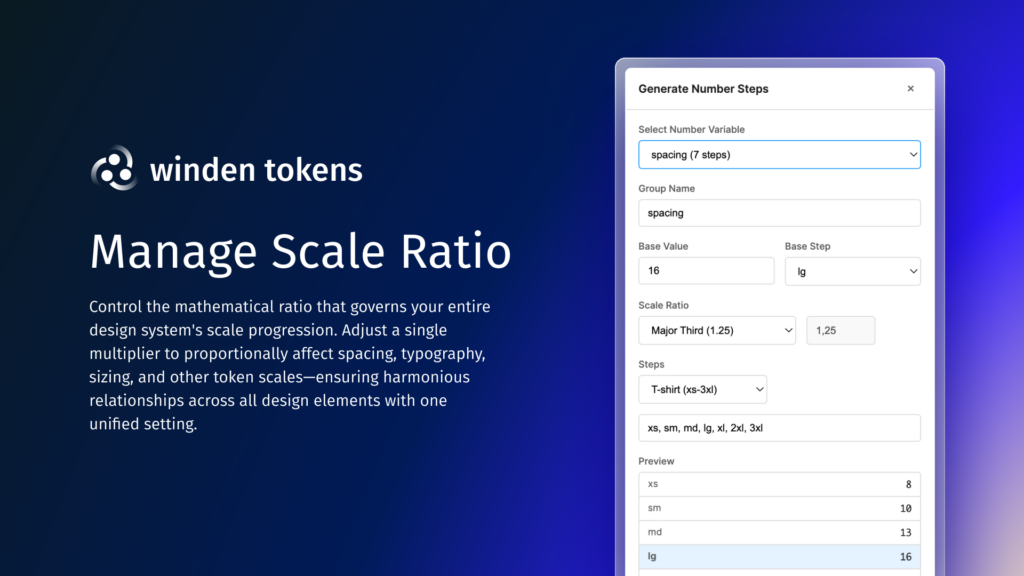
Build number scales
- Spacing and type scales from ratios like Minor Third (1.2), Major Third (1.25), Perfect Fourth (1.333) or the Golden Ratio (1.618).
- Name steps as T-shirt sizes (xs–4xl), numbers (1–10), Gutenberg presets, or your own names.
- Use an existing number variable as the base.
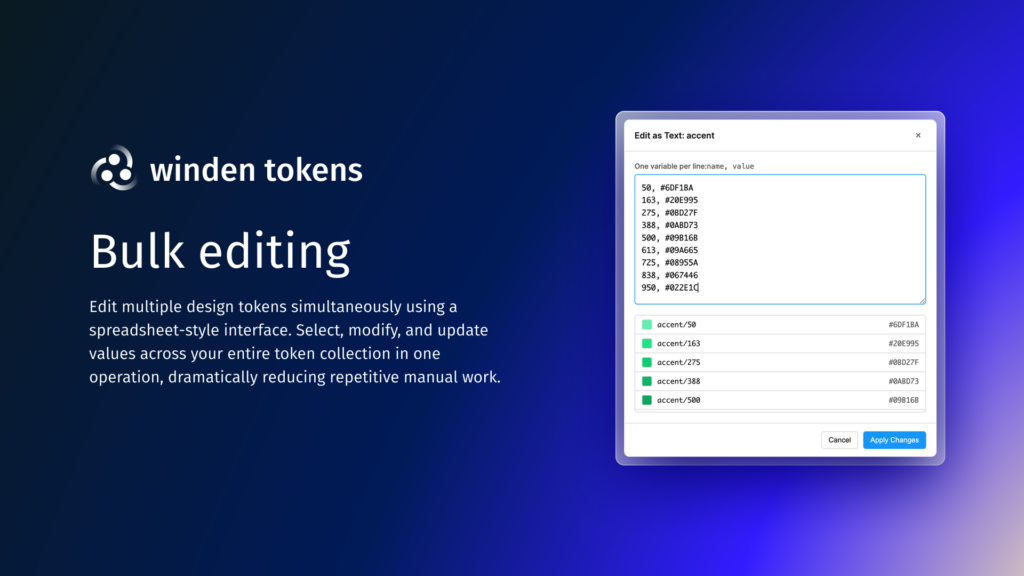
Bulk edit as CSV or JSON
- Edit a whole group as text, one
name, valueper line. - Paste straight from a spreadsheet and preview before applying.
- Import and export whole token sets as JSON.
See relationships as nodes
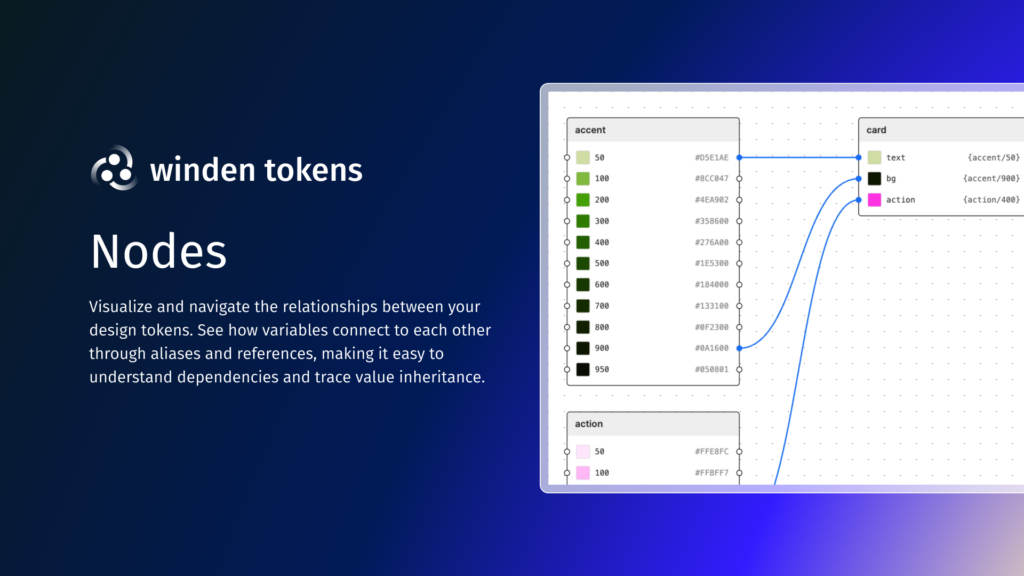
- A graph of every color or number variable and how they reference each other.
- Drag from one node to another to create an alias; click a link to remove it.
Check contrast
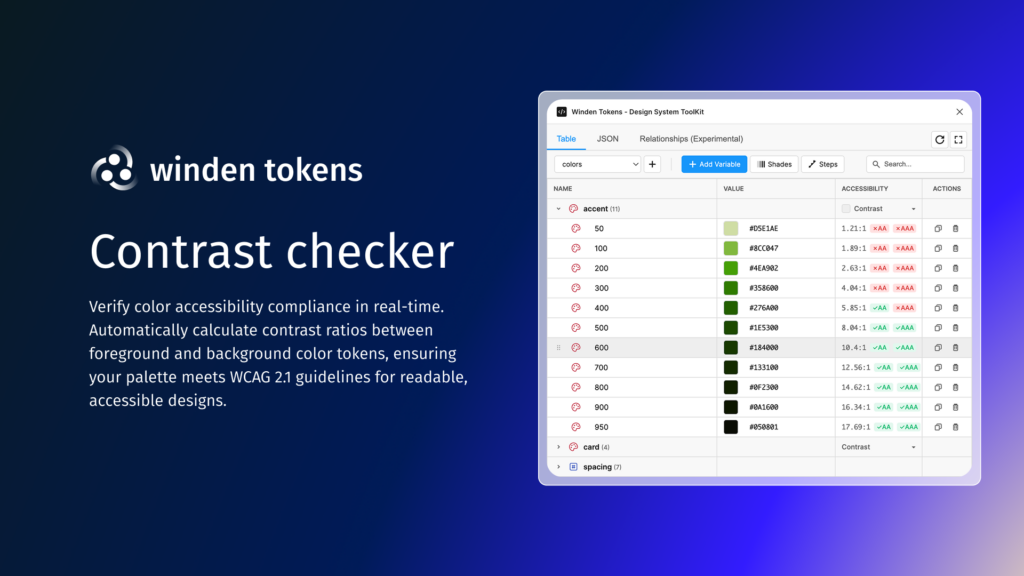
- WCAG 2.1 contrast ratios with AA and AAA badges.
- Set the contrast color per variable or per group, or reference another variable.
Video guides
How to install
- Open Figma.
- Go to Plugins → Browse plugins in Community.
- Search for Winden Tokens and click Install.
It supports every Figma variable type: color, number, string and boolean.
Free and open source
Winden Tokens is free, and the code is on GitHub. Found a bug or have an idea? Open an issue.
From the makers of Winden, which brings Tailwind CSS to WordPress.
More free tools
- SVG to CSS mask generator: turn Figma shapes into image masks.
- Variable font converter: convert variable TTF fonts to WOFF2 in your browser.
