How to Generate a 50–950 Color Palette in Figma
Modern design systems don’t use a single brand blue. They use a ramp of shades, usually named 50, 100, 200 … 900, 950 (the naming Tailwind CSS made popular): very light tints for backgrounds, the base color around 500–600 for buttons, and dark shades for text and hover states. Here’s how to build one that works.
What a good ramp looks like
- Even steps in lightness, so 200 → 300 looks like the same jump as 700 → 800.
- Saturation that changes along the ramp. Very light and very dark shades look better with less saturation; mid-tones carry the most color.
- A slight hue shift keeps shades lively. Blues often drift toward purple as they darken; yellows toward orange.
- Useful contrast pairs: text in 900 on a 50 background, white text on 600–700.
Just mixing your base color with white and black gives flat, grayish ramps: the lightness steps are uneven and the saturation dies at both ends.
Doing it by hand
- Put the brand color at 500 (or 600 if it’s dark).
- Create the lighter shades by raising lightness in even steps and lowering saturation toward 50.
- Create the darker shades by lowering lightness, slightly lowering saturation, and shifting hue a few degrees.
- Save each shade as a Figma color variable:
brand/50 … brand/950. - Check contrast for the pairs you’ll use.
It’s doable once. For eight colors, and every time the brand color changes, it’s hours of work.
One step with Winden Tokens
Winden Tokens is a free Figma plugin that generates the ramp from one color:
- Create or select a color variable, for example
brand. - Open Shades and generate the full 50–950 palette.
- Adjust the Bezier curves for lightness, saturation and hue while watching the live preview.
- Apply. The shades are saved as Figma variables.
The shades are managed: change the base brand color later, and the whole ramp refreshes automatically. Then run the contrast checker, which shows WCAG AA/AAA badges for each shade against a color you choose (per variable or per group).
Use the ramp in code
Keep the same names in code. In Tailwind CSS v4:
@theme {
  --color-brand-50:  #eef2ff;
  --color-brand-500: #6366f1;
  --color-brand-900: #312e81;
}
In WordPress, Winden generates the same 10 shades automatically from one color in its Wizard, so bg-brand-500 means the same color in Figma and on the site.
For the bigger picture on tokens, see design tokens in Figma with variables.
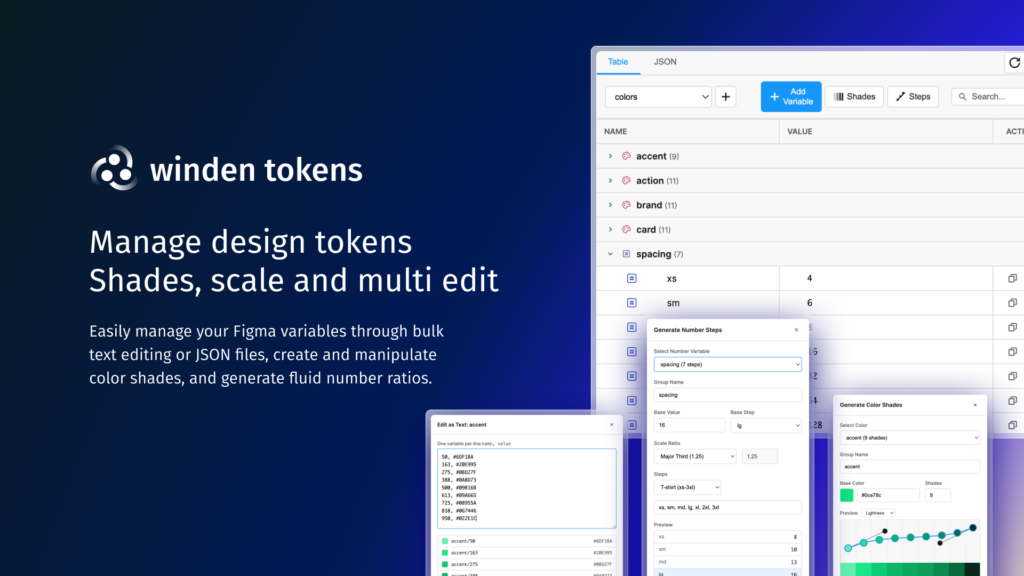
Shade ramps in one click
Winden Tokens generates 50–950 palettes with curve controls and contrast checks, as Figma variables. Free and open source.
Related guides
- How to Use Tailwind CSS in WordPress: Three ways to add Tailwind v4: CDN, a build step, or Winden.
- How to Use Tailwind CSS in the Gutenberg Block Editor: Classes, design tokens and autocomplete in the block editor.
- How to Use Tailwind CSS in Bricks Builder: Utility classes, autocomplete and tokens in Bricks.
- How to Use Tailwind CSS in Oxygen Builder: Utility classes in Oxygen Classic and Oxygen 6.
Browse all WordPress tutorials.
