How to Get CSS Class Autocomplete in the Gutenberg Block Editor
Every Gutenberg block has an Additional CSS class(es) field under Advanced. It’s how you apply your theme’s utility classes, a CSS framework, or your own component classes. But it’s a plain text box: no suggestions, no validation. Was it mt-8 or mt-lg? btn-outline or btn--outline? You end up checking the stylesheet every few minutes.
Where class names come from
On a typical site, the classes editors should use live in three places:
- CSS files: your theme’s stylesheet or a framework (Tailwind, Bootstrap, your design system).
- A curated list: the handful of classes you want editors to use.
- The content itself: classes already applied to blocks across the site.
Good autocomplete draws on all three.
Without a plugin
- Keep a cheat sheet of allowed classes in the dashboard or your docs.
- Use block styles (
register_block_style()) for common variants, so editors pick “Outline” from a menu instead of typing a class. - Use patterns with classes already applied.
Block styles are great for a few variants per block; they don’t scale to a full utility framework.
With Plain Classes for Gutenberg
Plain Classes for Gutenberg adds a Plain Classes panel to every block’s settings with autocomplete as you type. It writes straight to the block’s class attribute, and the preview updates immediately.
Suggestions come from three sources, each marked in the Class Manager:
- Imported classes: your own list, added as text, comma-separated, one per line, or from a JSON file.
- Scanned classes: found by scanning CSS/JS files you select, from your theme, plugins or uploads (for example a compiled Tailwind file).
- Gutenberg classes: extracted automatically from your posts and pages as you use them, so every class you’ve used once becomes a suggestion.
It also understands responsive prefixes for frameworks that use them (like md:), has a distraction-free focus mode for long class lists, and caches suggestions so the editor stays fast. Need to rename classes after a framework update? The Class Manager includes search and replace. Class lists can be exported and imported, so you can reuse them on every project.
Tips
- Curate for clients. Import only the classes editors should use, rather than a whole framework.
- Scan the compiled CSS, not the source, so suggestions match what actually exists.
- Using Tailwind with Winden? It has its own Gutenberg autocomplete based on your configuration: see Tailwind CSS in the Gutenberg block editor.
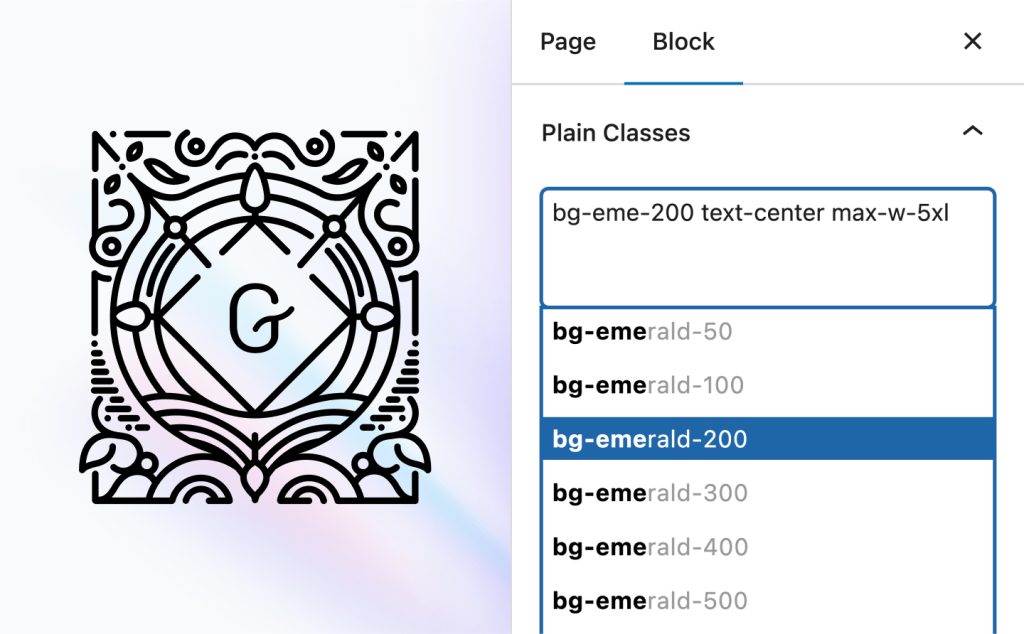
Class autocomplete for the block editor
Plain Classes for Gutenberg suggests classes from your CSS files, your own list and your content, right in the block settings.
Related guides
- Design Tokens in Figma with Variables: A Practical Guide: Colors, spacing and type as Figma variables.
- How to Generate a 50–950 Color Palette in Figma: One brand color, a full shade ramp.
- How to Use Tailwind CSS in WordPress: Three ways to add Tailwind v4: CDN, a build step, or Winden.
- How to Use Tailwind CSS in Bricks Builder: Utility classes, autocomplete and tokens in Bricks.
Browse all WordPress tutorials.
