How to Build a Custom WordPress Dashboard for Clients
When a client logs in for the first time, the default WordPress dashboard greets them with news feeds, “At a Glance” boxes and plugin notices. None of it helps them update their site. A custom dashboard page, with a welcome message, how-to videos and your support contacts, makes handover smoother and cuts support emails.
What a good client dashboard contains
- A short welcome and what they can do on the site.
- Quick links to the tasks they actually do: new post, edit menu, see orders.
- Short video tutorials for those tasks.
- Support contacts: email, phone, response time.
- Nothing else. No feeds, no widgets, no plugin ads.
The code way: dashboard widgets
You can remove default widgets and add your own:
add_action( 'wp_dashboard_setup', function () {
    remove_meta_box( 'dashboard_primary', 'dashboard', 'side' );     // WordPress news
    remove_meta_box( 'dashboard_quick_press', 'dashboard', 'side' ); // Quick draft
    remove_meta_box( 'dashboard_site_health', 'dashboard', 'normal' );

    wp_add_dashboard_widget( 'client_welcome', 'Welcome', function () {
        echo '<p>Need help? Email <a href="mailto:support@example.com">support@example.com</a>.</p>';
    } );
} );
It works for a few boxes, but widgets are small and hard to design, and every text change means editing code.
The page way: design the dashboard like any page
WP Admin Cleaner lets you replace the dashboard with a normal WordPress page:
- Create a new page (keep it as a draft or private) and design it with the block editor or your builder (Bricks, Oxygen and others work too). Add the welcome, links, videos and contacts.
- In WP Admin Cleaner, choose that page as the custom dashboard.
- When users open the dashboard, they see your page instead of the default one.
Tips from real projects:
- Give the page a blank template (Appearance → Editor) so the site header and footer don’t appear inside wp-admin.
- Keep longer tutorials in a separate private post type and link to them from the dashboard. Hide them from search engines with your SEO plugin.
- Logged-out visitors and users without access who open the page URL are redirected to the homepage, so the dashboard page isn’t public.
A different dashboard per role
Since version 1.6.3 (changelog), WP Admin Cleaner can serve a different dashboard per user role: a shop owner sees “how to manage orders”, an editor sees “how to write a post”, a customer sees their products. Each role gets exactly the help it needs.
Pair it with a trimmed admin menu: hide WordPress admin menu items by role.
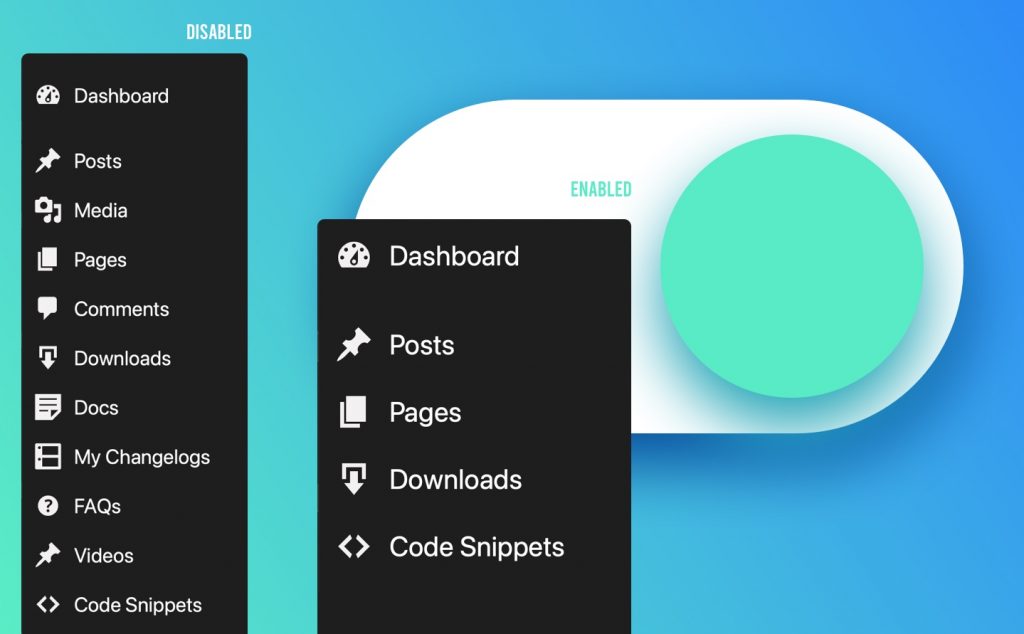
A client-friendly WordPress admin
WP Admin Cleaner: custom dashboards per role, trimmed menus, custom login page and admin themes.
Related guides
- How to Customize the WordPress Login Page: Your logo, colors and a safer login URL.
- How to Reorder the WordPress Admin Menu and Add Custom Links: Your most-used pages first, plus custom links.
- How to Enable Dark Mode in the WordPress Admin: A dark dashboard and editor, per user.
Browse all WordPress tutorials.
