How to Schedule CSS and JavaScript by Date and Time in WordPress
A Black Friday banner that should appear on Friday at midnight and disappear on Monday. Christmas colors in December. A chat widget only during office hours. You can switch these on by hand, and forget, or let WordPress do it on schedule.
The PHP way
Compare the current time with your window, and output the code only inside it. Use WordPress’s own time functions, which respect the timezone set in Settings → General:
add_action( 'wp_head', function () {
    $now   = current_datetime();                                   // site timezone
    $start = new DateTimeImmutable( '2026-11-27 00:00', wp_timezone() );
    $end   = new DateTimeImmutable( '2026-11-30 23:59', wp_timezone() );

    if ( $now < $start || $now > $end ) {
        return;
    }
    echo '<style>.site-header { background: #000; }</style>';
} );
For “only during office hours”:
$hour = (int) current_datetime()->format( 'G' );
$day  = (int) current_datetime()->format( 'N' ); // 1 = Monday … 7 = Sunday
if ( $day <= 5 && $hour >= 9 && $hour < 17 ) {
    // output the chat widget
}
Watch out for caching
If your site uses page caching, a page cached at 23:50 may be served after midnight without your change. Schedule the switch a little early, purge the cache at the start and end times, or apply time-based changes with JavaScript on the visitor’s side.
The no-code way
Scripts Organizer has scheduling built into every code block (header, footer or PHP):
Date options:
- Daily: runs every day (the default).
- Days: only on selected weekdays, every week, for example Saturdays and Sundays.
- Date: one specific day.
- Date range: from one date to another, for campaigns.
Time options:
- All day: 00:00 to 24:00.
- Time: a start and an end time, for example 09:00–17:00. Both are required.
Combine them: “Monday to Friday, 09:00–17:00” for a chat widget, or “Nov 27 – Nov 30” for a sale banner. Add page conditions on top, so the banner only shows on the shop pages. When the window passes, the code simply stops running.
Ideas
- Sale banners and countdowns that start and stop on time.
- Seasonal styles (holiday colors, a snow effect in December).
- Support widgets only when someone can answer.
- Temporary tracking for a campaign that ends by itself.
Related: add code to the WordPress header and footer.
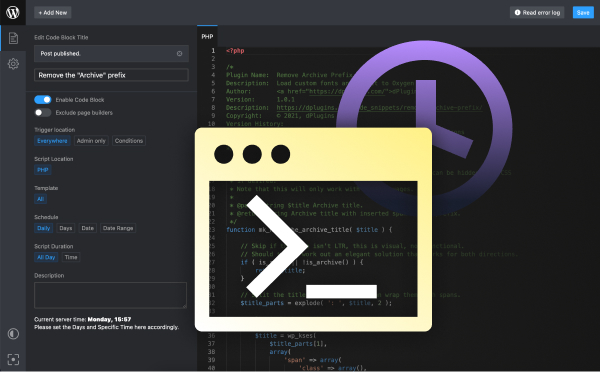
Code that runs on schedule
Scripts Organizer schedules header, footer and PHP code by weekday, date, date range and time, with page conditions.
Related guides
- How to Use SCSS in WordPress Without a Build Tool: Variables, nesting and partials, compiled in WordPress.
- How to Create a Custom Shortcode in WordPress: Reusable [shortcodes] with attributes, done right.
- How to Add Custom Code to WordPress Safely: PHP, CSS and JS in WordPress without breaking the site.
- How to Disable Scripts on Specific WordPress Pages: Unload plugin CSS and JS where they aren't needed.
Browse all WordPress tutorials.
