How to Load CSS and JavaScript Only Where It’s Needed in WordPress
To load a stylesheet or script only where it is needed in WordPress, enqueue it inside the wp_enqueue_scripts action and wrap the call in a conditional tag such as is_page(), is_singular() or has_block().
A slider script used on the homepage, a calculator on one landing page, animation code for the pricing page: if all of it loads on every page, every visitor pays for code they never run. Loading your own CSS and JavaScript only where it’s needed is one of the simplest speed wins.
This article is about your own code. To stop plugins loading their files everywhere, see how to disable scripts on specific WordPress pages.
The WordPress way: enqueue with conditions
Register files with wp_enqueue_script() and wp_enqueue_style(), and wrap them in a conditional:
add_action( 'wp_enqueue_scripts', function () {
    $dir = get_stylesheet_directory_uri();

    // Slider only on the front page.
    if ( is_front_page() ) {
        wp_enqueue_script( 'site-slider', $dir . '/js/slider.js', [], '1.0', true );
        wp_enqueue_style( 'site-slider', $dir . '/css/slider.css', [], '1.0' );
    }

    // Calculator only on one page.
    if ( is_page( 'mortgage-calculator' ) ) {
        wp_enqueue_script( 'calculator', $dir . '/js/calculator.js', [], '1.0', true );
    }
} );
The last argument true loads the script in the footer, so it doesn’t block the page from rendering. Since WordPress 6.3 that argument can also be an array with a loading strategy:
wp_enqueue_script( 'calculator', $dir . '/js/calculator.js', [], '1.0', [
    'strategy'  => 'defer',
    'in_footer' => true,
] );
Conditional loading is not the same as deferring. A deferred script still ships to every visitor; a conditionally loaded script never leaves the server on pages that don’t use it. Use both: the condition decides where the file loads, defer decides how.
Useful conditionals
| Condition | Where it loads |
|---|---|
is_front_page() | Homepage |
is_page( 'slug' ) | One page |
is_singular( 'product' ) | Every single product |
is_post_type_archive( 'product' ) | The product archive |
is_category( 'news' ) | One category archive |
has_block( 'core/gallery' ) | Pages that contain a gallery block |
has_block() is especially handy: load a script only on pages where the block that needs it is actually used.
Load by user role, date or “everywhere except”
The same pattern works for any PHP condition:
add_action( 'wp_enqueue_scripts', function () {
    $dir = get_stylesheet_directory_uri();

    // Only for logged-in users who can edit posts.
    if ( current_user_can( 'edit_posts' ) ) {
        wp_enqueue_style( 'editor-tools', $dir . '/css/editor-tools.css', [], '1.0' );
    }

    // Only during a campaign, in the site's timezone.
    $now = new DateTimeImmutable( 'now', wp_timezone() );
    if ( $now >= new DateTimeImmutable( '2026-10-01 00:00', wp_timezone() )
        && $now < new DateTimeImmutable( '2026-12-01 00:00', wp_timezone() ) ) {
        wp_enqueue_style( 'autumn-sale', $dir . '/css/sale.css', [], '1.0' );
    }

    // Everywhere except the front page.
    if ( ! is_front_page() ) {
        wp_enqueue_style( 'inner-pages', $dir . '/css/inner.css', [], '1.0' );
    }
} );
If a page cache is active, a date condition only takes effect when the cached page is rebuilt. The full recipe is in how to schedule CSS and JavaScript in WordPress.
Block assets load themselves
If the code belongs to a block, put it in that block’s block.json (style, viewScript). Block themes then load it only on pages where the block appears. Custom blocks built with FanCoolo WP work the same way: a block’s styles and View script travel with the block.
The no-code way
Scripts Organizer, the code manager we build at DPlugins, offers these conditions as settings. Each code block (CSS, SCSS, JavaScript or PHP) has Template conditions:
- All (everywhere), or
- Page, Post: hand-pick single pages, posts or custom post type entries,
- Post Type: every page, every post, every product…,
- Taxonomy: category, tag or custom taxonomy archives.
Turn on Advanced Conditions – Exclude for “everywhere except…” rules, like all pages except the homepage, or all categories except Uncategorized. Add a schedule if the code is only needed for a while.
Check the result
Open a page where the code should not load, view the source (Ctrl+U) and search for the file name. Then check a page where it should load, and test that the feature works.
From a terminal, count how often the file appears on each page:
curl -s https://example.com/ | grep -c 'calculator.js'
curl -s https://example.com/mortgage-calculator/ | grep -c 'calculator.js'
The first should print 0, the second 1. In Chrome, the Coverage panel in DevTools shows how much of each loaded file a page actually used.
FAQ
How do I load a script on only one WordPress page?
Wrap the enqueue call in is_page( 'your-slug' ) inside the wp_enqueue_scripts action, as in the first example.
How do I stop a plugin from loading its CSS on every page?
That is dequeuing, not conditional enqueuing. See how to disable scripts on specific WordPress pages.
What is the difference between defer and async in wp_enqueue_script()?
Both are values of the strategy argument, available since WordPress 6.3. A deferred script runs after the page is parsed, in order. An async script runs as soon as it has downloaded, in no fixed order.
Sources
- wp_enqueue_script(), WordPress Code Reference: the
strategyargument, since 6.3.0 (read 2 October 2026) - wp_enqueue_scripts, WordPress Code Reference (read 2 October 2026)
- Conditional Tags, WordPress Theme Handbook (read 2 October 2026)
- has_block(), WordPress Code Reference (read 2 October 2026)
Tested with WordPress 7.1.2: the strategy, user-role, date and “everywhere except” examples.
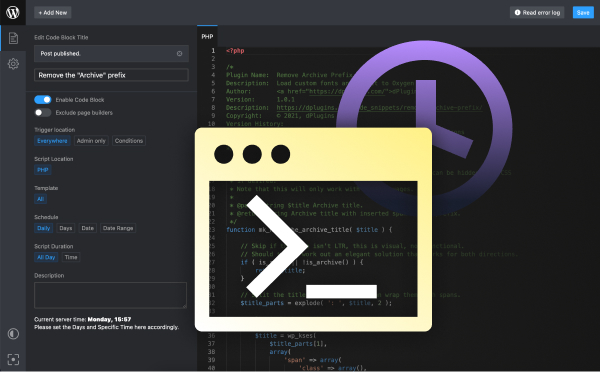
Load code only where it’s needed
Scripts Organizer: page, post type and taxonomy conditions with exclusions, for CSS, SCSS, JS and PHP.
Related guides
- How to Use SCSS in WordPress Without a Build Tool: Variables, nesting and partials, compiled in WordPress.
- How to Create a Custom Shortcode in WordPress: Reusable [shortcodes] with attributes, done right.
- How to Add Custom Code to WordPress Safely: PHP, CSS and JS in WordPress without breaking the site.
- How to Add Code to the WordPress Header and Footer: Analytics, pixels and scripts in the right place.
Browse all WordPress tutorials.
